 Neurobase · iPhone & iPad
Turn anything into
a cited knowledge base.
PDFs, web pages, audio, video. Neurobase organizes them into Neurons and answers with citations on every line. Wire Neurons together in a visual editor for pipelines that summarize, compare, and merge across multiple sources at once.
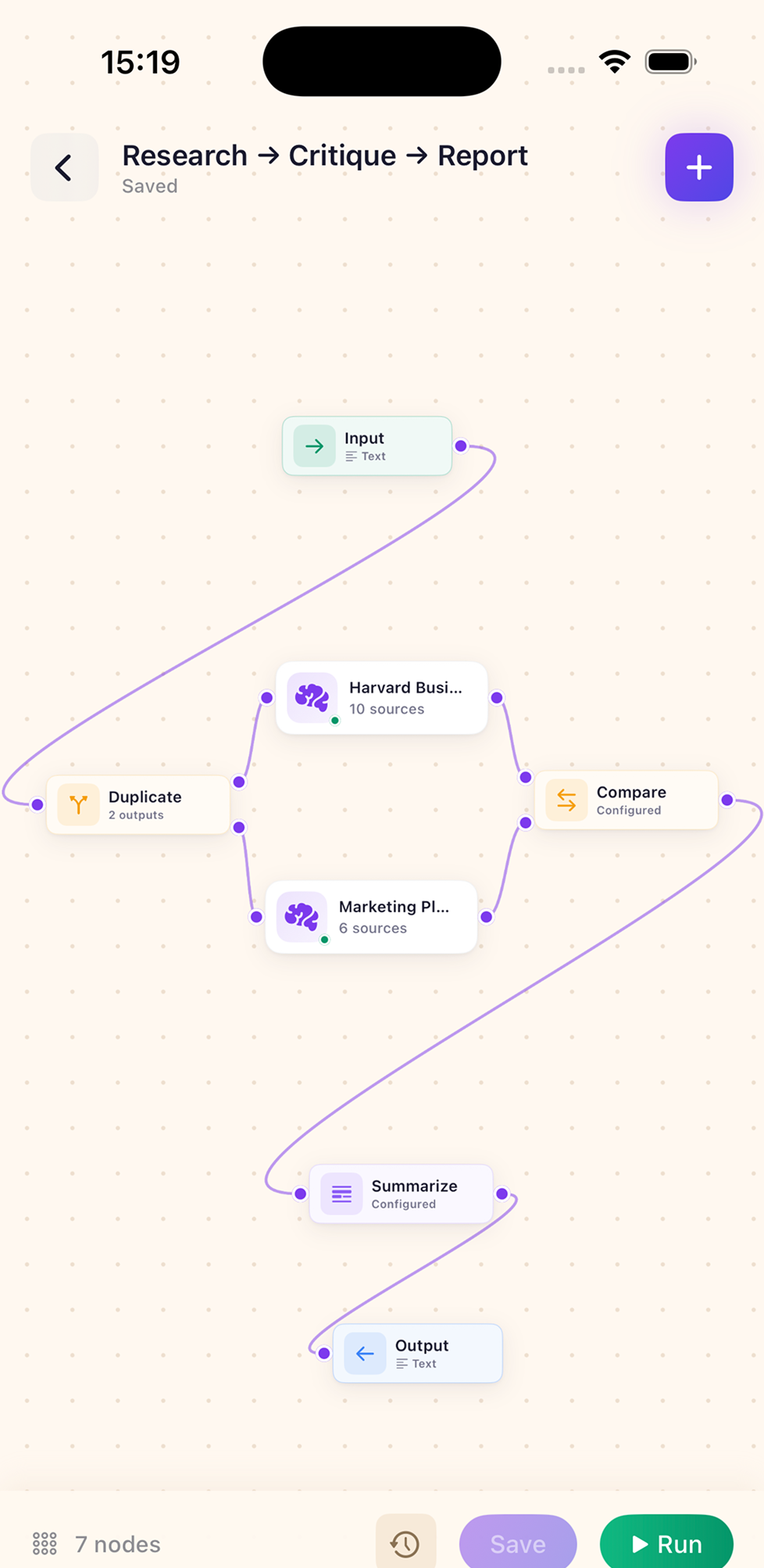
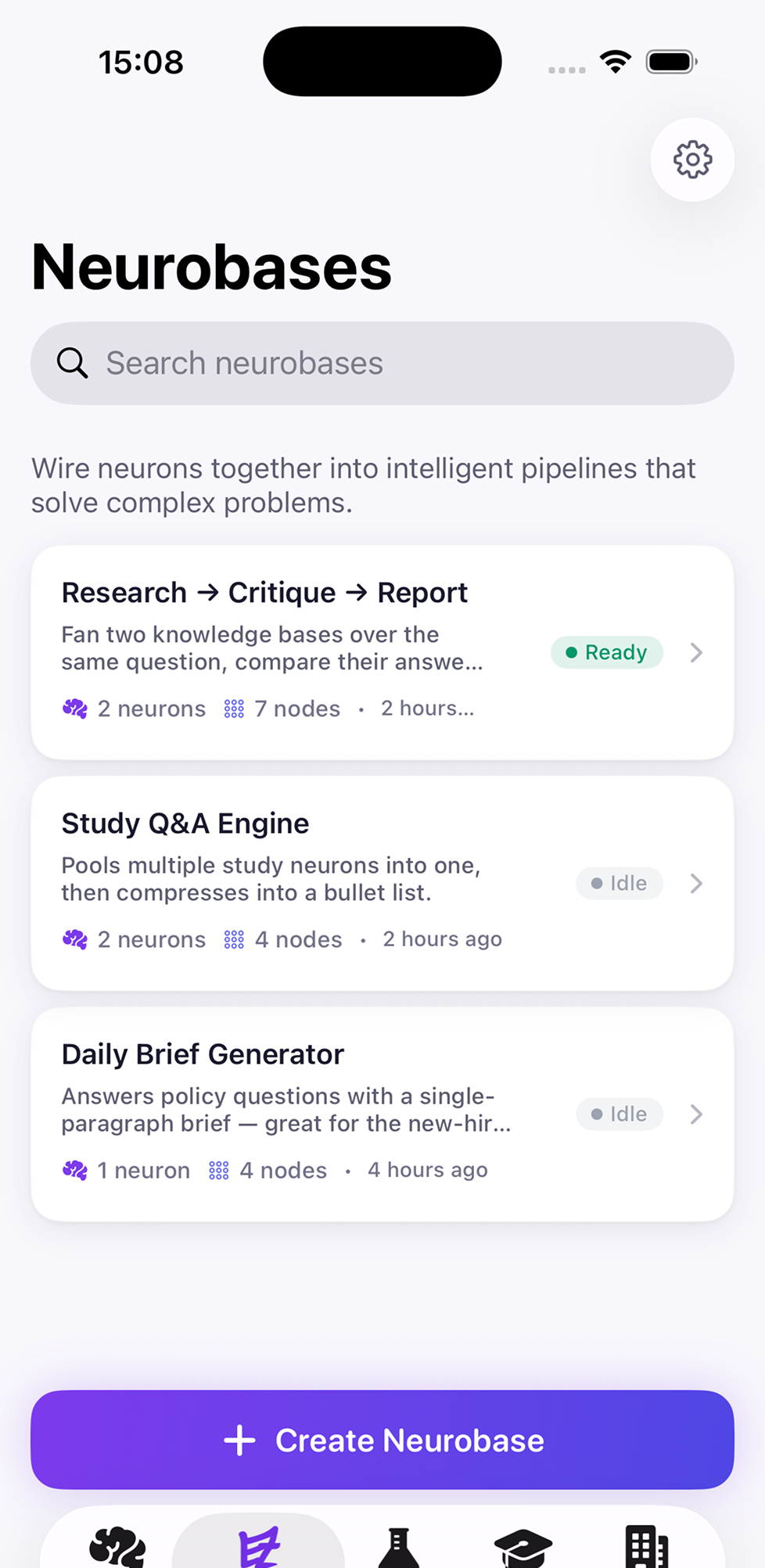
Seven source types · One cited knowledge base
- Text Notes, prompts, plain copy
- Structured JSON, CSV, tables
- Image Photos, diagrams, scans
- Video YouTube, MP4, lectures
- Audio Podcasts, voice memos
- PDF Papers, books, reports
- Website URLs, articles, docs
Every source becomes a Neuron
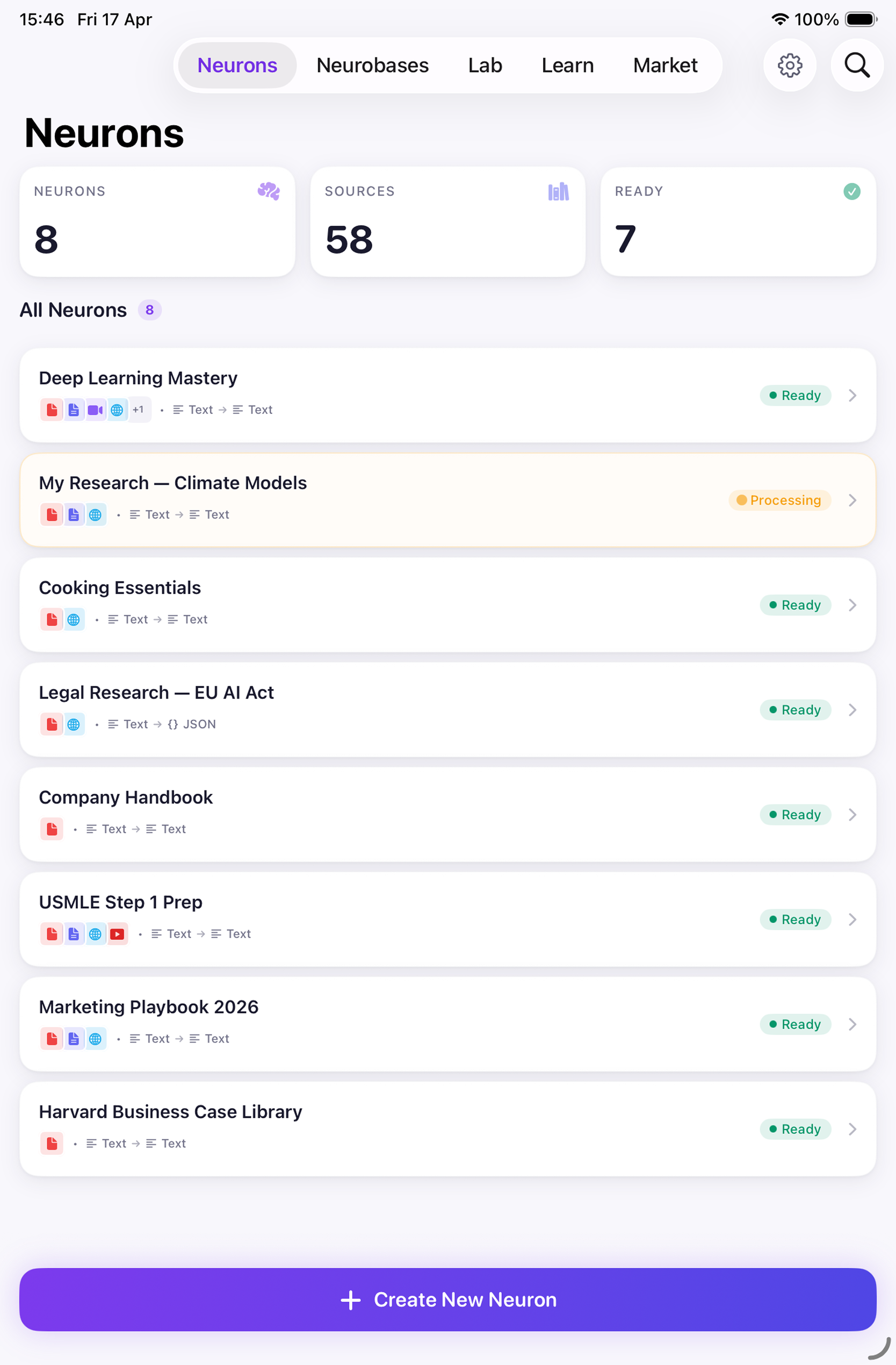
A Neuron is a small AI assistant trained on the sources you give it. Drop in a PDF, a YouTube link, a podcast episode, a CSV — Neurobase ingests it, indexes it, and gives you a focused expert that only answers from that material, with citations back to the original line, page, or timestamp.
- One Neuron per topic — keep your knowledge isolated and clean
- Live status — Ready, Processing, Idle — for every Neuron
- Search the entire library by name or source title
- Combine input and output types — text → text, text → JSON, and more
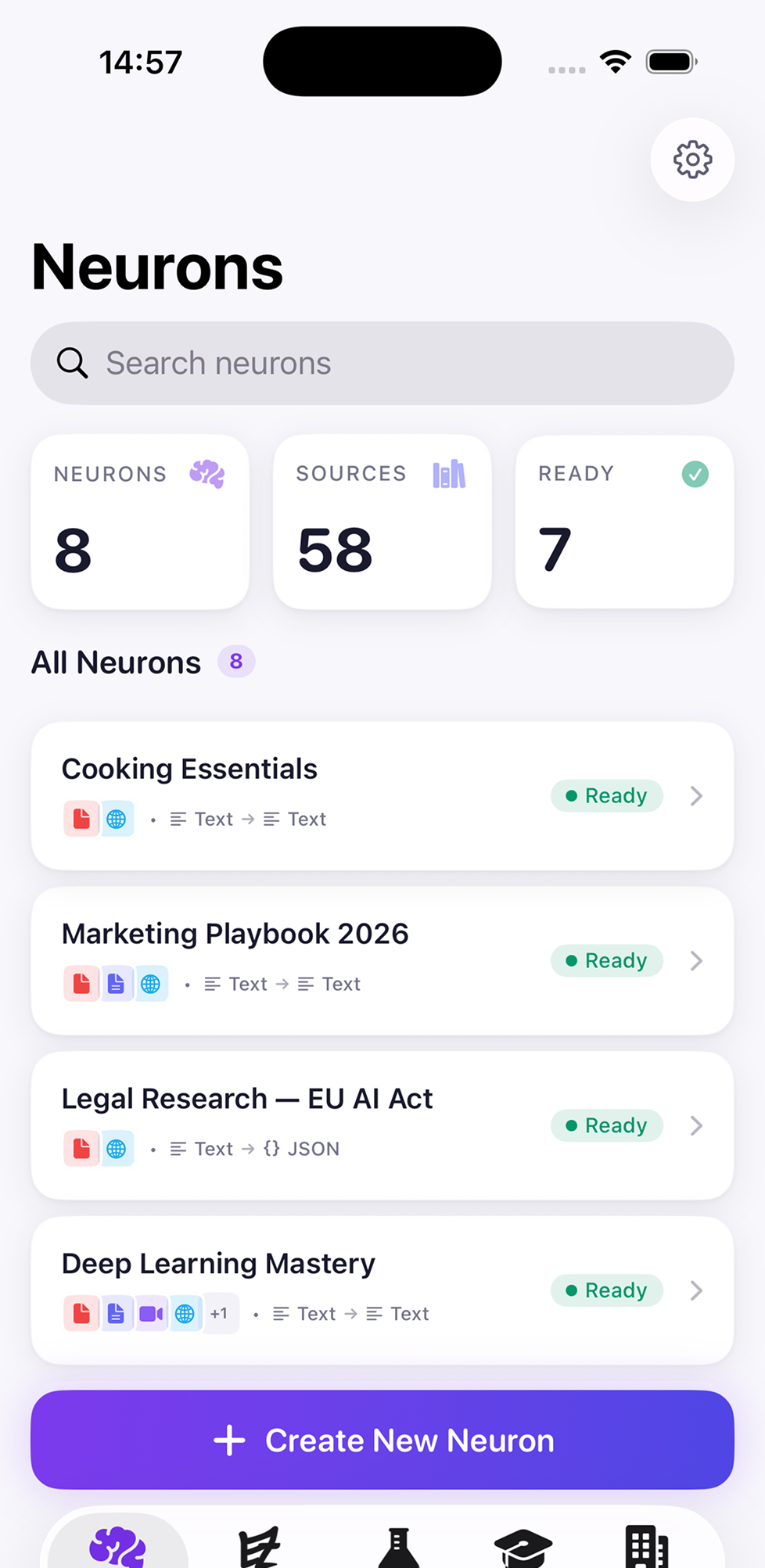
Drop in any source, pick the format
Seven input types — Text, Structured, Image, Video, Audio, PDF, Website. Pick what your Neuron should output — plain text, JSON, XML, YAML, Markdown, CSV. The Neuron handles the conversion in the background, so you can wire it into any pipeline without rewriting the schema by hand.
- Seven input source types, six output formats
- Audio and video transcribed automatically before indexing
- Websites fetched, parsed, and indexed with the source URL preserved
- Structured outputs ready to plug into the next Neuron
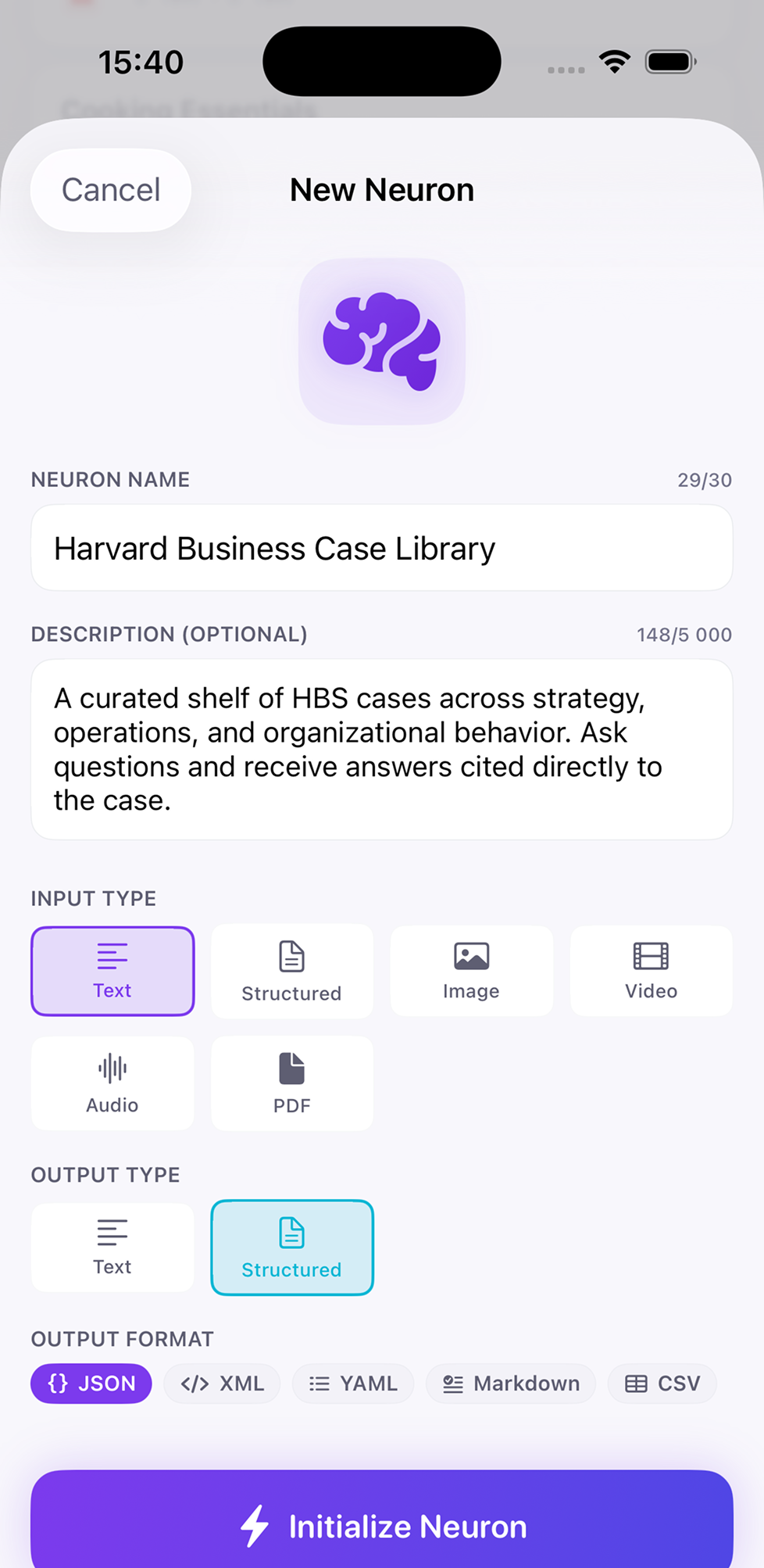
Wire Neurons into pipelines
The visual editor lets you drag Neurons onto a canvas and connect them by their input and output ports. A pipeline can fan out — duplicate a query across two Neurons — and fan back in to compare, summarize, or merge results. No code, no YAML, no glue scripts.
- Drag, drop, connect — the whole graph at a glance
- Operations: Duplicate, Compare, Summarize, Merge, Filter
- Saved diagrams persist between sessions
- Tap any node to edit its prompt, model, or output type
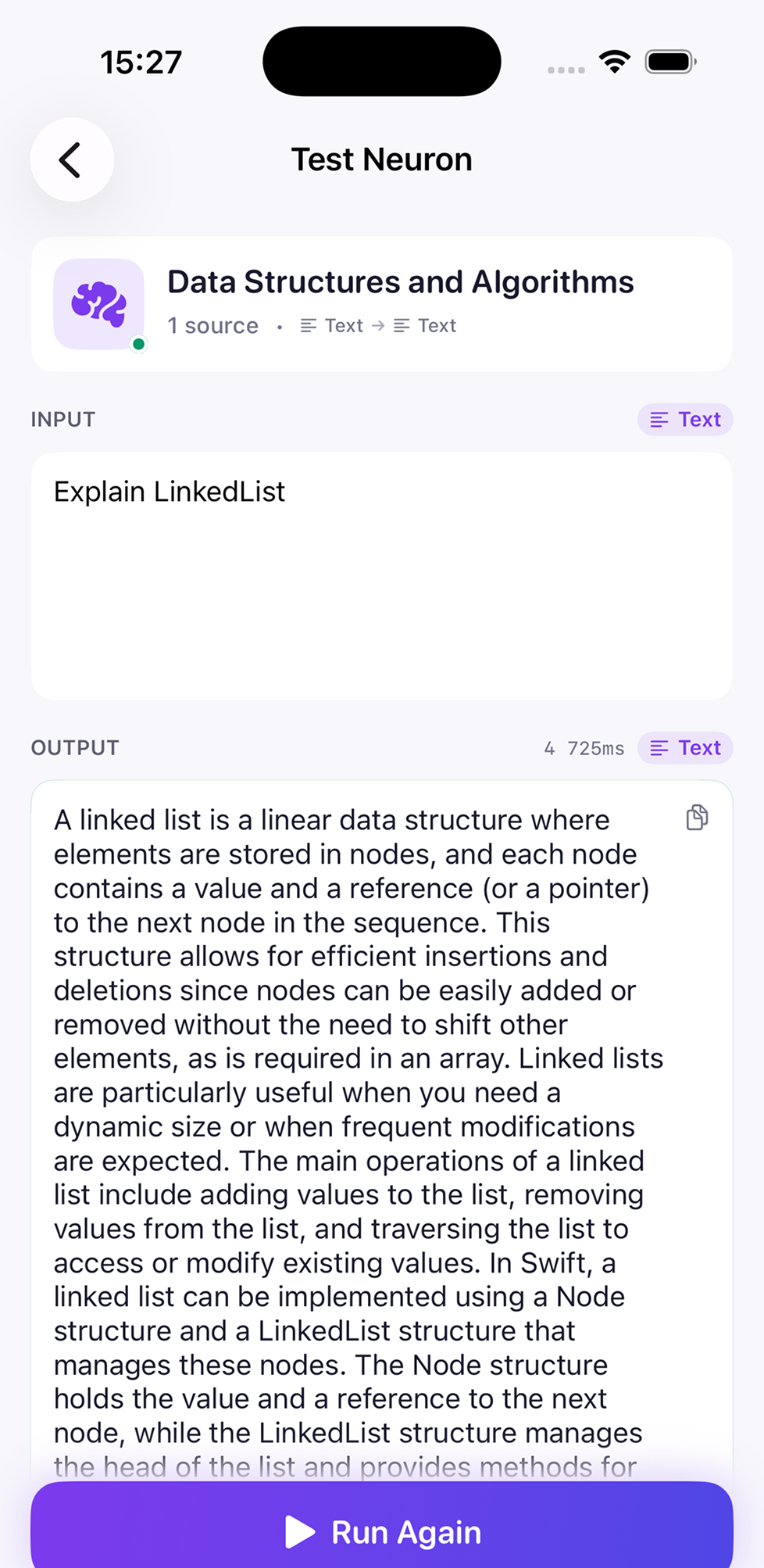
Test single Neurons in the Lab
Before you wire a Neuron into a pipeline, sanity-check it. Open the Lab, type a prompt, see exactly what comes back — including which sources the answer cited and how long it took. Iterate the description and prompt until the response is right; then drop the Neuron into your pipeline with confidence.
- Single-Neuron sandbox with timing and source attribution
- History of every test run, scoped to that Neuron
- Run again with one tap — instant compare against last answer
- Catch hallucinations early, before they propagate downstream
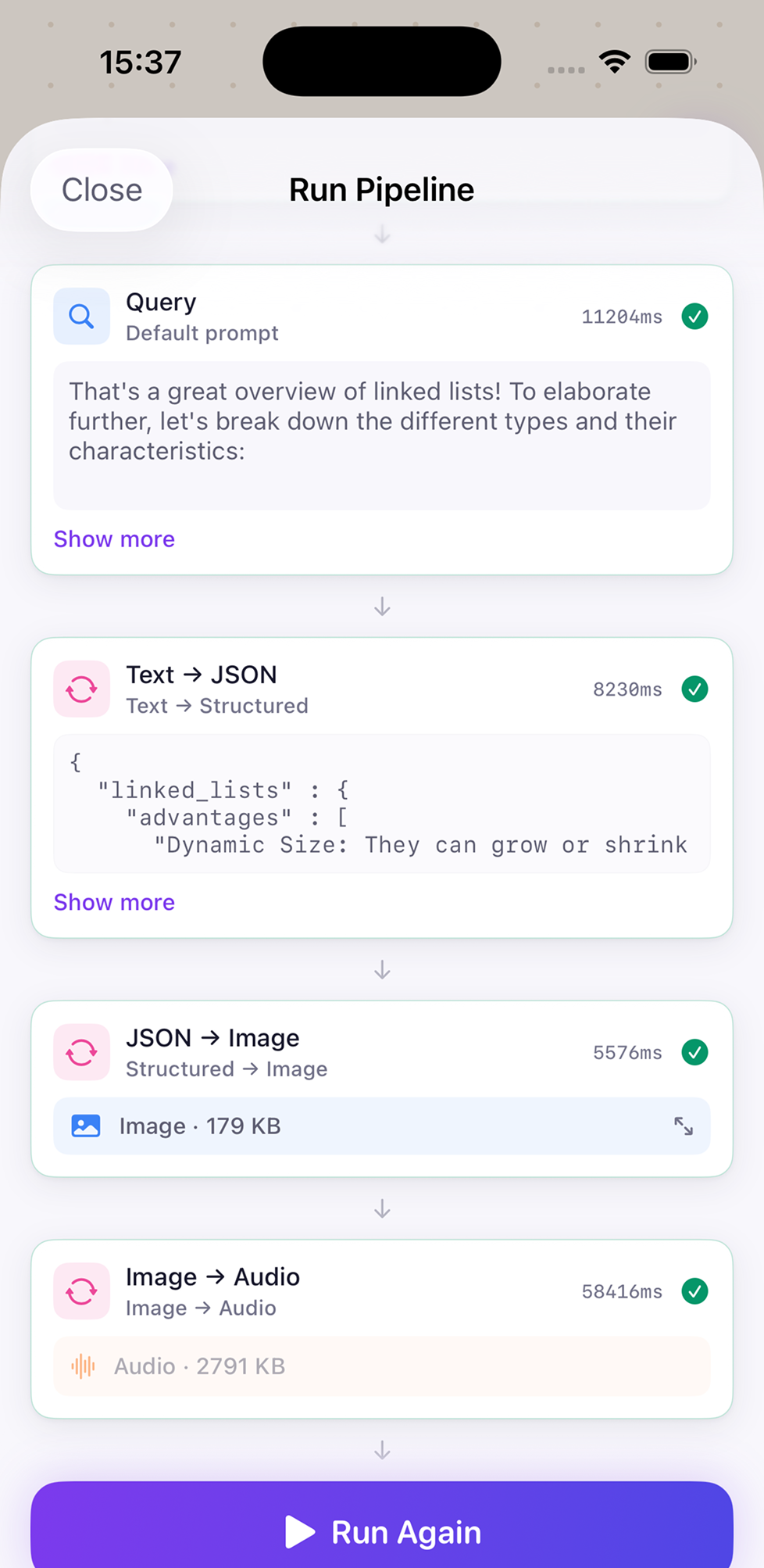
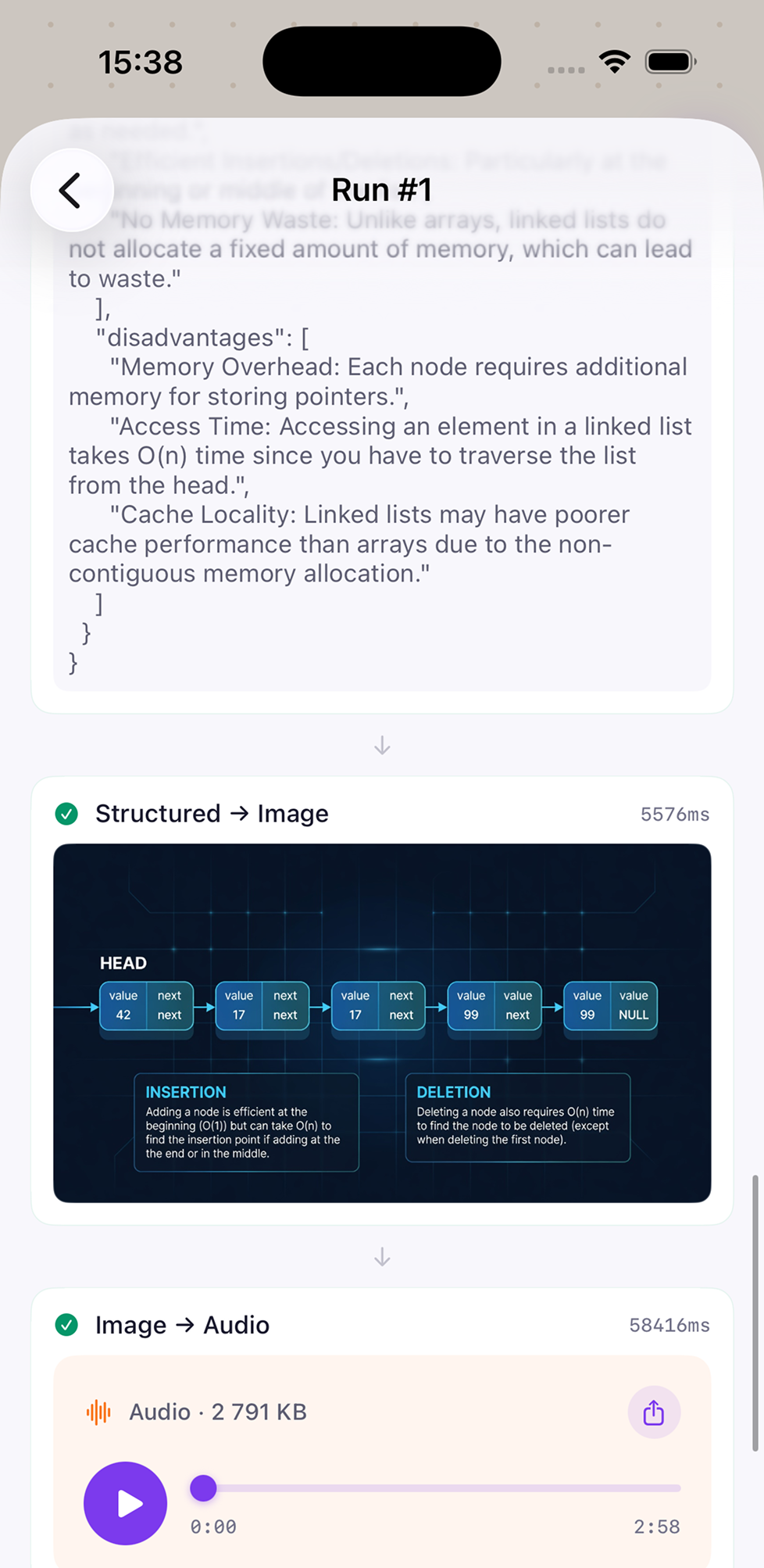
Run a pipeline, see every step
Hit Run. Neurobase walks each step in order: Query → Text→JSON → JSON→Image → Image→Audio. You see the input, the output, and the time for every node, with a green check when it's done. Open any step to inspect its full payload, save the run, or replay just that step.
- Sequential or parallel execution, your choice
- Per-step timing — find the slow Neuron in seconds
- Open Run #N for full history of every payload
- Run Again replays the whole pipeline with one tap
See your sources as a network
Every Neuron has a Visualization view: a force-directed graph of the Neuron at the center, with each source attached around it. Tap a node to jump to that source. It's the fastest way to spot which documents a Neuron actually leans on when answering, and which are dead weight.
- Source attribution at a glance
- Node count badges show how often each source is cited
- Quick Actions: Test in Lab, Publish, Edit, Delete
- Add Source from the same screen

A Marketplace of shareable Neurons
Publish a Neuron and let anyone subscribe. Browse Featured and Trending — USMLE Step 1 prep, Warren Buffett letters, EU AI Act — and add them to your library with one tap. Sources, prompts, and citations come along intact. Curate, share, monetize, or just bring along your own templates between devices.
- Featured and Trending sections, refreshed daily
- Filter by Research, Education, Business, Creative
- One-tap install — sources sync to your library
- Publish your own and share by link

Built-in Learn path
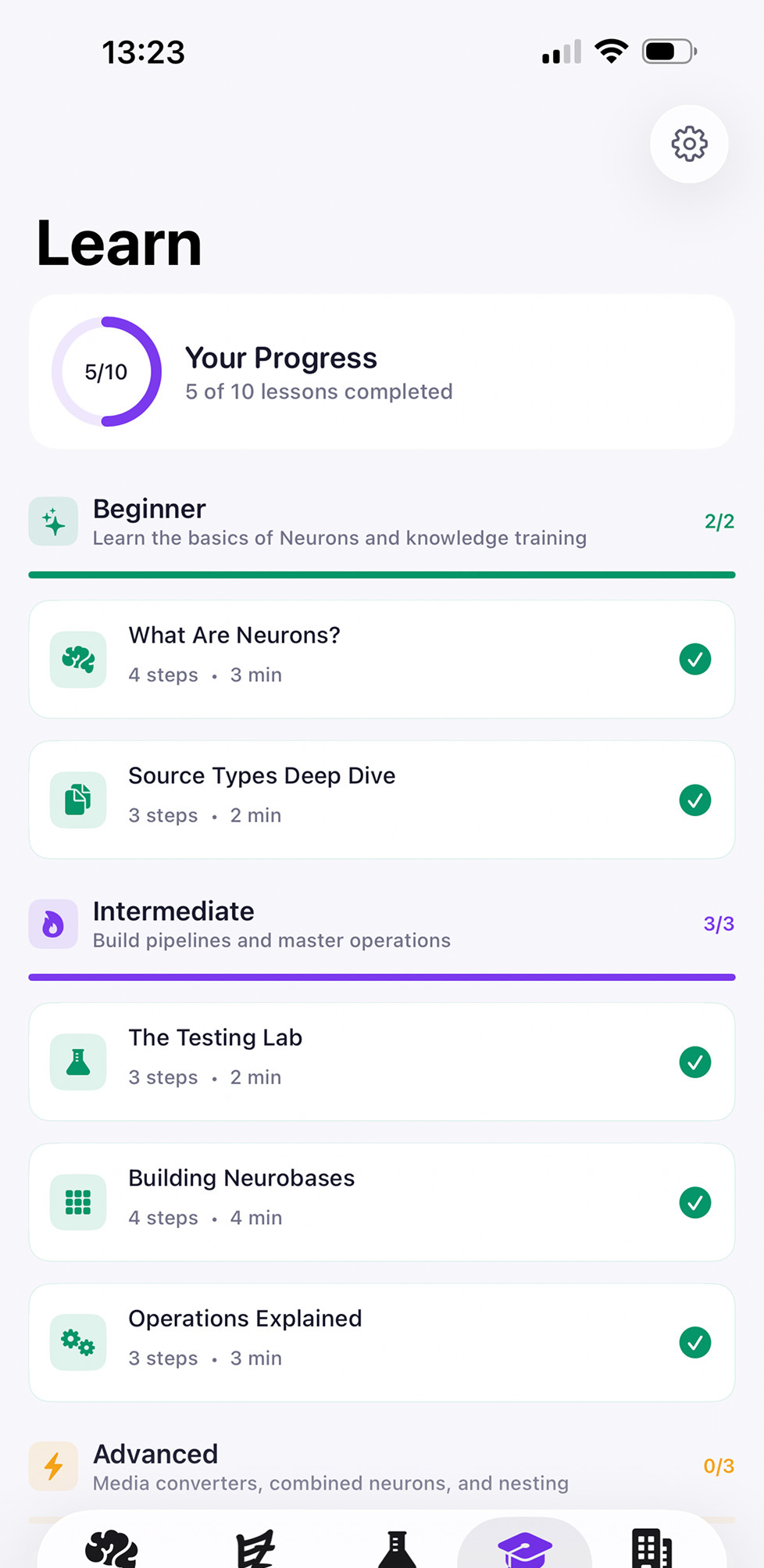
Don't know where to start? The Learn tab walks you through Neurobase from beginner to advanced — Beginner: source types and basic Neurons. Intermediate: the Lab, building Neurobases, operations. Advanced: media converters, combined Neurons, nesting. Track progress as you go; lessons are short and tap-runnable.
- 10 lessons across Beginner, Intermediate, Advanced tracks
- 2–4 minute lessons, with checkmarks as you complete them
- Run examples right from the lesson screen
- Progress ring shows your way through the curriculum
Made for iPhone.
Right at home on iPad.
One purchase covers iPhone and iPad. Build a pipeline on the train; review the run on the couch. The whole Neurobase travels with your Apple ID.
Ready to build a Neuron?
Free to download. Bring your own sources. Citations on every line.
Questions? [email protected]